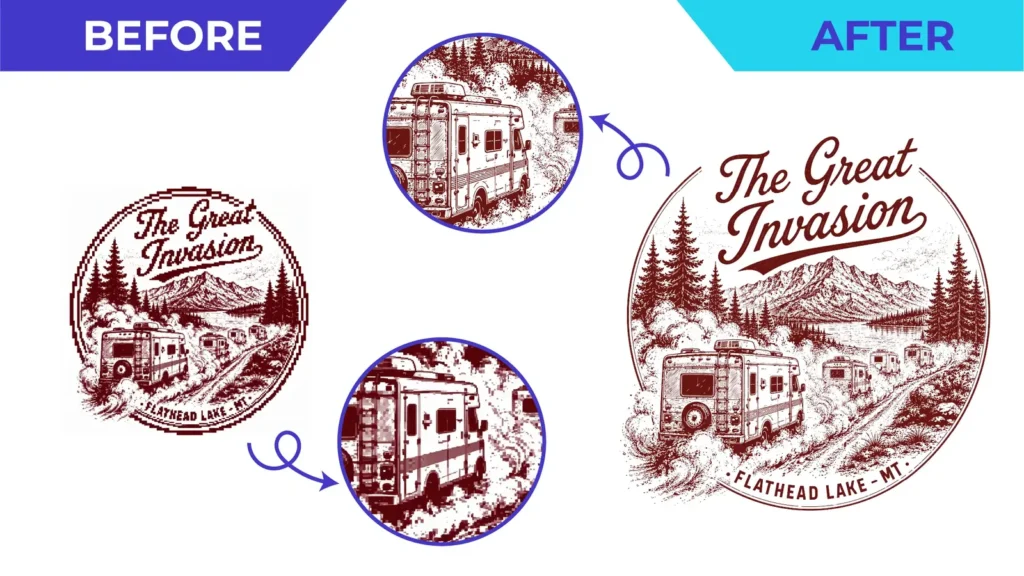
Short answer: being vector is the starting point, not the finish line. Each production method has its own practical needs. Screen printing wants clean, separate colour areas. Embroidery needs simplified shapes that stitches can reproduce. Vinyl and laser need closed, tidy paths. Signage needs artwork that holds up at large sizes. Tell your vector artist the process up front, and always confirm final specifications with the company producing the job.
Why intended use matters
A vector file can be technically correct and still be impractical to produce. Tiny gaps, hairline strokes, overlapping shapes and thousands of anchor points may be invisible on screen but cause real problems on a press, a cutter or an embroidery machine. That is why our quote form asks how the artwork will be used.
Screen printing
Screen printing applies one ink colour per screen, so the artwork should be organised around a limited number of solid colours.
- Use clean, solid colour areas and avoid unnecessary gradients.
- Make sure fine lines and small text are thick enough for the garment and the mesh.
- Specify ink colours, ideally as Pantone references, where they matter.
- Colour separations, halftones and underbases are often handled by the printer. Confirm who prepares them.
See vector artwork for screen printing.
Embroidery
Embroidery machines need a stitch file such as DST or PES, which a digitizer creates. A clean vector file makes that job faster and more accurate, but a vector file is not a stitch file.
- Simplify very small details and thin lines that thread cannot reproduce.
- Consider the final stitched size: a left-chest logo is small.
- Reduce the number of colours where possible.
See embroidery artwork preparation.
Vinyl cutting and plotters
A cutter follows every path in the file, so the paths must be intentional.
- Use closed paths and remove stray points, duplicates and overlapping shapes.
- Avoid unnecessary nodes, which can cause jagged or slow cuts.
- Make sure small pieces are large enough to weed and apply.
- Ask which format your cutting software prefers: SVG, EPS, PDF or DXF.
See vinyl cutting and plotter artwork.
Laser engraving and CNC
Laser and CNC workflows care about geometry and how the machine interprets lines and fills.
- Separate cut lines from engrave or fill areas if your workflow needs it.
- Use the stroke colours, line weights or layers your machine software expects.
- Confirm units, final dimensions and any kerf or tool-diameter considerations with the operator.
- “Machine-ready” or CAM-ready files are a specific requirement, so state it explicitly.
See laser engraving and CNC artwork.
Signage and large format
- Rebuild the logo cleanly so it stays sharp at metre-wide sizes.
- Use the colour system the sign maker requests, whether CMYK or spot colours.
- Supply the correct proportions for the sign panel and confirm bleed and safe areas.
See signage and large-format artwork.
A simple checklist before you order
- Name the production method and the final size.
- Share your supplier’s technical specifications.
- List the required file formats.
- Specify colours, such as Pantone, CMYK or HEX, where they matter.
- Ask for a proof, check it at the real size, and confirm with your supplier.
We prepare artwork around the application you describe. Final validation for a particular machine, material or process stays with the production company unless it is explicitly included in your order.
Planning a production run? Upload your artwork with your specifications. Running a print shop or agency with regular artwork? See our business services.
Need This Done Properly?
Upload your artwork, tell us how it will be used, and get a free, no-obligation quote.