File conversion service
Image to SVG Conversion for Web, Cutting and Production
Need an SVG from a JPG, PNG, scan or photo? We redraw the artwork as a clean SVG built for where it is going: a website, a cutting machine, an engraver or a print workflow.

One-colour logo · clean black-and-white paths for cutting and print
About image to svg
Not all SVGs are equal
An SVG made by auto-tracing a pixel image can contain thousands of tiny points, overlapping shapes and gaps. It may look fine on screen but cut badly, engrave slowly or bloat a web page. A redrawn SVG has fewer, deliberate points and closed shapes.
SVG for websites
For logos and icons on the web we keep the file lean and well structured, with sensible shapes and colours, so it renders crisply on every screen size.
SVG for cutting and engraving
Vinyl cutters, craft cutters and lasers follow paths literally. We prepare closed, tidy outlines and remove details too fine to cut, based on the size and material you tell us about. DXF output can be discussed where your software needs it.
SVG as part of a full file set
Many clients need the same artwork as SVG for the web, PDF for print and AI or EPS for their designer. We can deliver a consistent set from one redraw.
Before & after
Relevant Before & After Work
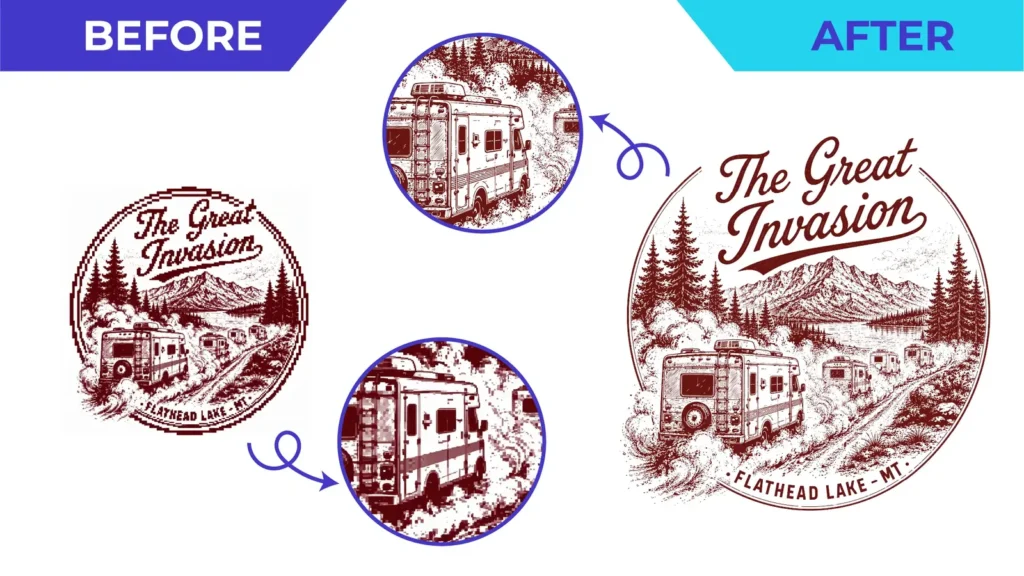
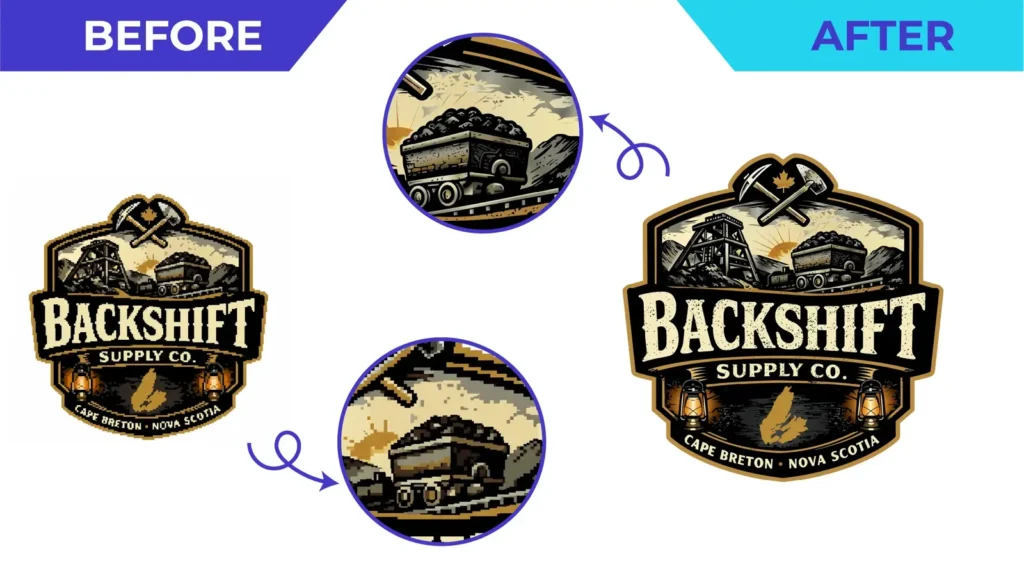
Real client artwork: the file we received and the vector we rebuilt. The circles zoom in on the detail that changed.

Before you upload
What to Send Us
Not sure what you have? Upload it anyway. We review every file before quoting and tell you if anything is missing.
Helpful to include
- Your image: JPG, PNG, scan, screenshot or photo
- Where the SVG will be used (website, Cricut, vinyl cutter, laser, print)
- Finished size and material, for cutting or engraving
- Software or machine name, if relevant
- Your deadline
Why Vector By Hand
Why Get Your SVG Redrawn
- Lean files with deliberate anchor points
- Closed paths that cut and engrave cleanly
- Fine details adjusted for your final size
- Consistent SVG, PDF, AI and EPS from one redraw
- Machine requirements checked before work starts
How it works
From Bad Artwork to Production Ready
 Upload Send the best artwork you have, even if it is blurry, tiny, scanned or photographed.
 We Review It We assess complexity, intended use and required formats before quoting.
 We Rebuild It A vector specialist manually reconstructs the artwork with clean, controlled geometry.
 You Review It Check the proof and request corrections within the agreed project scope.
 Production-Ready Delivery Receive organized vector files prepared for the intended application.
Portfolio
More Finished Work
A selection of finished vector artwork from our portfolio. Click any image to view it larger.
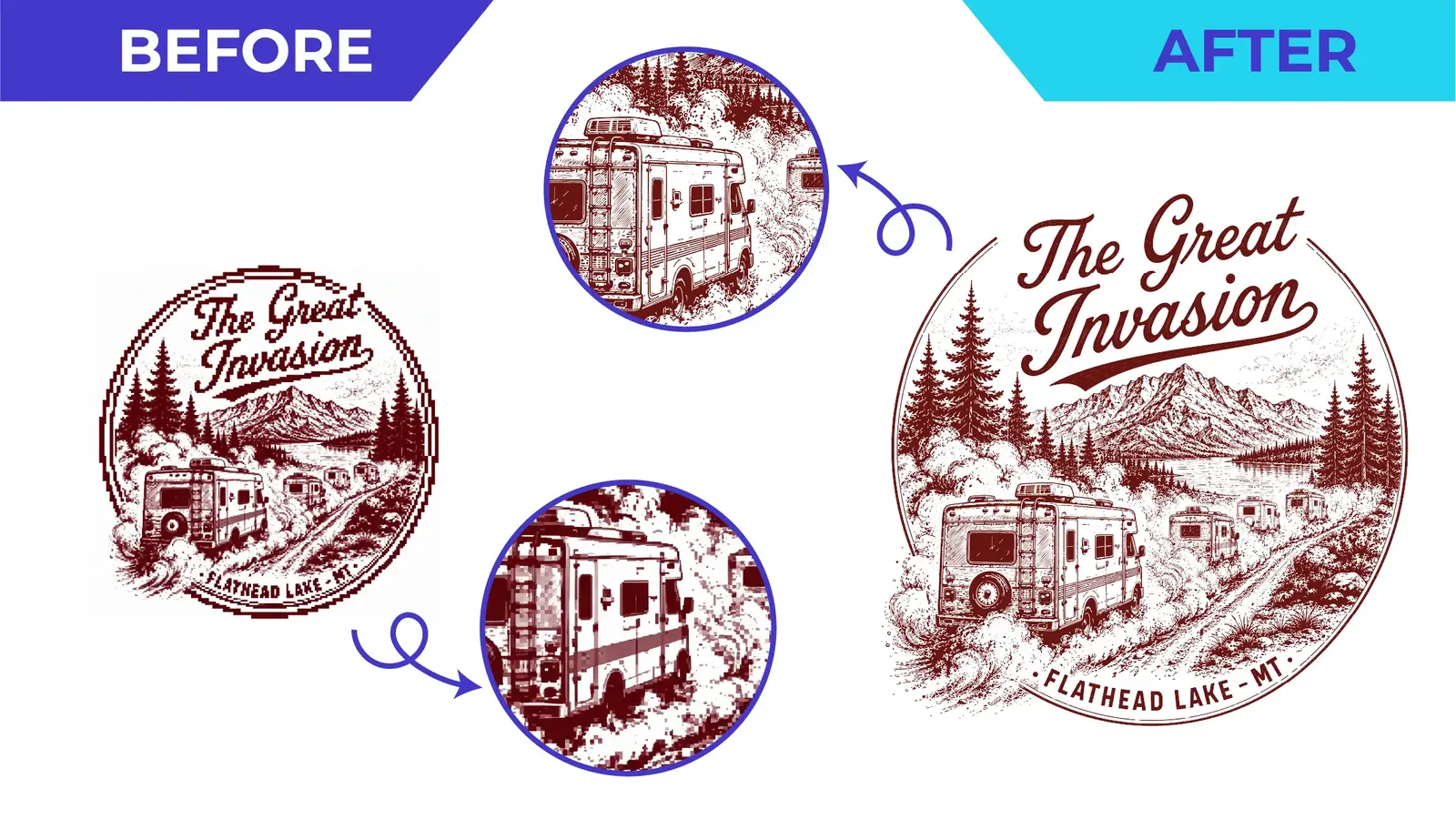
Single-colour illustrationBefore & after · Line Art & Engraving 
Photo to line artBefore & after · Line Art & Engraving 
Storefront facade line artLine Art & Engraving 
Winged creature line artLine Art & Engraving 
Bridge and instruments illustrationLine Art & Engraving 
Carved totem line art, detailedLine Art & Engraving


FAQ
Image to SVG: Common Questions
Straight answers before you upload. More questions are answered on the full FAQ page.
Can I just use a free image-to-SVG converter?
For simple, high-contrast shapes it may be good enough. For logos, lettering and detailed artwork, automatic conversion usually produces jagged edges and far too many points. A manual redraw is cleaner and more reliable in production.
Will the SVG work with my cutting machine?
We prepare clean, closed paths suited to cutting. Machines and software differ, so tell us what you use and the finished size; we will confirm what we can supply before you order.
Can you make an SVG from a photograph?
A photograph can be interpreted as line art or simplified shapes, as in our carved totem example. It will be an illustration of the photo, not a copy of it.
Do you also supply DXF?
DXF output can be provided where your workflow needs it, subject to project requirements. Mention it in your quote request.
Learn more
Helpful Guides
Guide
Vector File Formats Guide
AI, EPS, SVG, PDF, DXF, PNG and JPG explained, and which to send where.
Guide
Artwork Preparation Guide
A practical checklist for print, apparel, signage, cutting and engraving.
Send the File You Have
Upload your artwork, tell us where it will be used, and we’ll reply with the scope, price and delivery estimate.
No obligation. Your files are used only to review and quote your project.
JPGPNGPDFScreenshotsScansPhotos